
Important Files Stored in Random Places
Many offices have critical files spread across Desktop folders, WhatsApp downloads, email attachments and software folders. We help standardize where important data should live so it can be backed up reliably.
Backup planning for business files, billing data, documents and user folders
A backup is useful only when the right data is included, the copy runs consistently, and restoration has been tested. The Best Freelancer sets up cloud backup for Bhubaneswar offices, schools, clinics, hotels, retail shops, startups and home users who want fewer surprises after deletion, device failure, ransomware or accidental formatting.
We help identify what must be protected: accounting data, billing files, school records, reports, scanned documents, project files, photographs, spreadsheets, email archives and shared folders. Then we recommend a backup approach using cloud storage, local NAS, external drives or a combined plan.
| Method | Strength | Limitation |
|---|---|---|
| Cloud backup | Offsite copy and easy access | Depends on internet speed and subscription |
| External drive | Fast local copy | Can be lost, damaged or left disconnected |
| NAS backup | Good for office shared data | Needs network and device management |
| Hybrid backup | Better resilience | Requires planning and periodic checks |
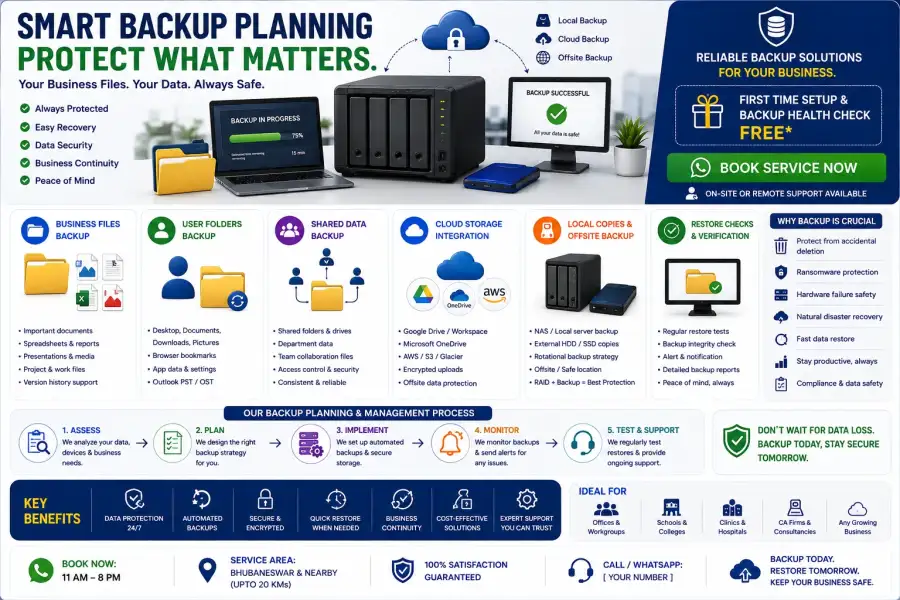
Many offices have critical files spread across Desktop folders, WhatsApp downloads, email attachments and software folders. We help standardize where important data should live so it can be backed up reliably.
Sync alone can copy mistakes quickly, including deletions. We explain retention, version history and recovery options so your setup is not just convenient but recoverable.
A backup that has never been restored is an assumption. We perform basic restore checks and show users how to find backed-up files when something goes wrong.
Cloud backup is useful, but many offices benefit from a hybrid plan with local and cloud copies. The right approach depends on data size, internet speed and recovery needs.
If backup or version history already exists, recovery may be possible. If the data was never backed up, recovery depends on the device condition and may require separate data recovery assessment.
Call +91 79786 04102 or request backup planning on WhatsApp.