
Files Scattered Across Computers
We create shared storage so teams are not dependent on one user’s desktop for important documents.
Shared office storage, user access and backup planning
A NAS gives offices a central place for files, backups and controlled access. It can reduce scattered documents across individual desktops, but only if users, permissions, folders, disks and backup routines are planned properly. The Best Freelancer provides NAS installation in Bhubaneswar for offices, clinics, schools, shops and small teams that need local file storage with a sensible recovery plan.
We help configure NAS devices for shared storage, backup targets, user permissions and local network access. A NAS is not a substitute for every backup; it is a storage system that must be protected with external or cloud copies for important data.
| Decision | Why It Matters | Example |
|---|---|---|
| Folder structure | Controls how staff find files | Accounts, HR, Billing, Reports |
| Permissions | Prevents unnecessary access | Accounts staff only for finance files |
| RAID choice | Protects against some disk failures | RAID 1 for two-bay NAS |
| Backup copy | Protects against deletion, theft or ransomware | Cloud or external drive backup |
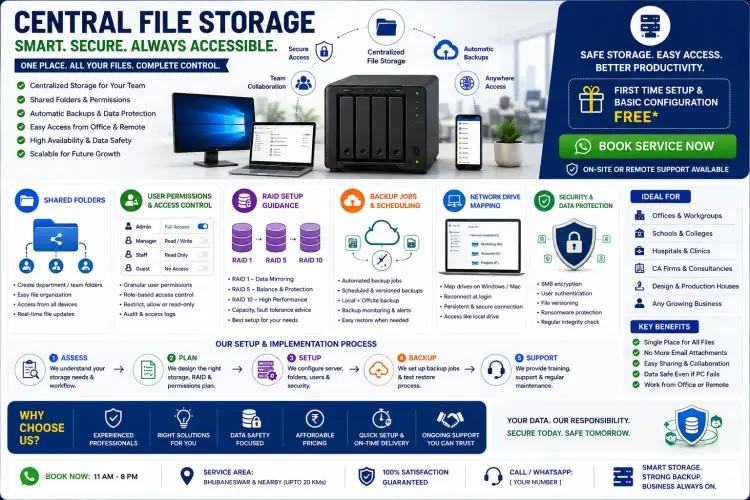
We create shared storage so teams are not dependent on one user’s desktop for important documents.
We set up users and permissions so everyone does not need the same admin password or unrestricted folder access.
RAID is not backup. We explain how to add a second copy so accidental deletion or ransomware does not become a single-point failure.
No. NAS is local storage. It can be part of a backup plan, but important files should also have an external or cloud copy.
Yes. That is one of its main uses. We configure users, folders and permissions based on your team structure.
Call +91 79786 04102 or message on WhatsApp.